How to Delete a Transaction in the Pie Tax App?

How to Delete a Transaction in the Pie Tax App?
Charlotte Baroukh

Charlotte Baroukh

Tax Expert @ Pie

4 min read

Updated: 8 Dec 2025

4 min read

Updated: 8 Dec 2025

A Simple Guide to Removing Income or Expense Entries

Keeping your bookkeeping clean is one of the easiest ways to stay in control of your tax life. Whether you’ve added something by mistake or simply need to tidy up your records, deleting an entry in the Pie Tax App is simple, fast, and stress-free. Here’s exactly how to do it step-by-step.

Your Step-by-Step Guide

icon

Go to the Bookkeeping Section

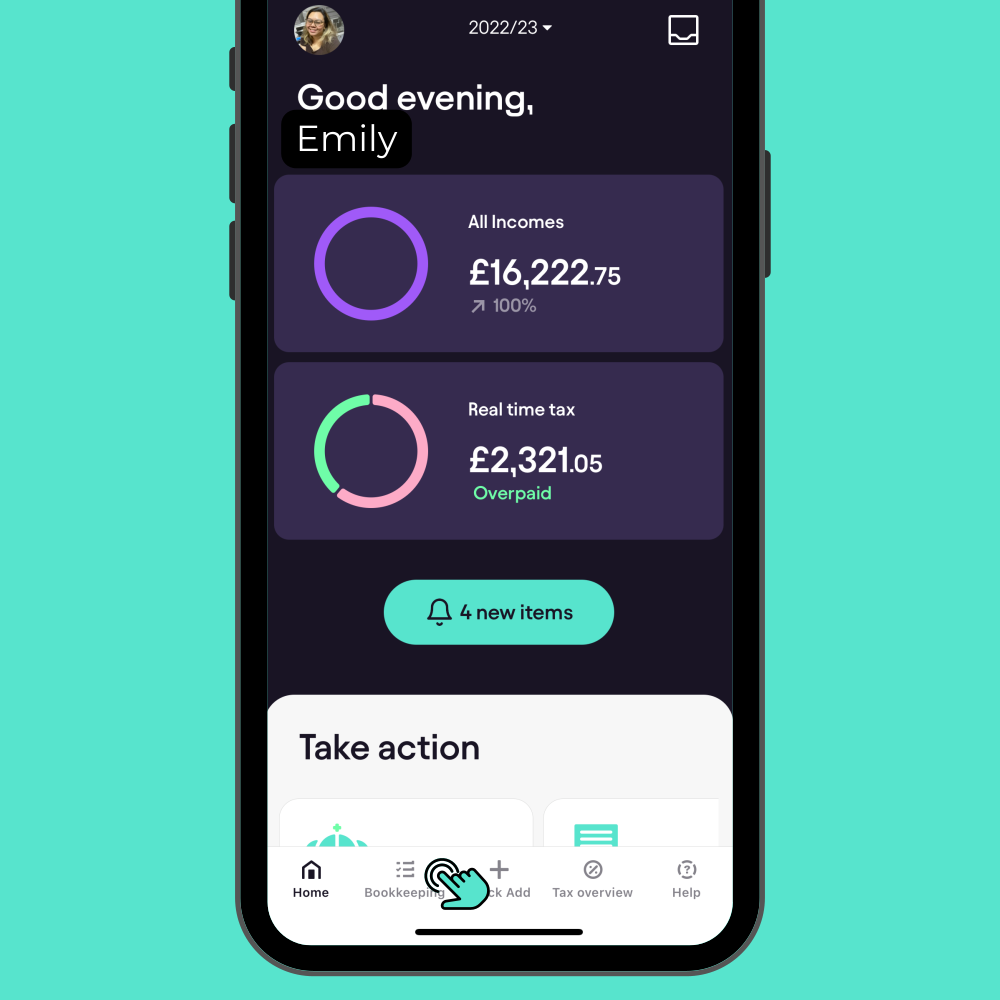
Open the Pie Tax App and navigate to the "Bookkeeping" section, which you’ll find on the navigation bar on your home screen.

icon

Choose Income or Expenses Tab

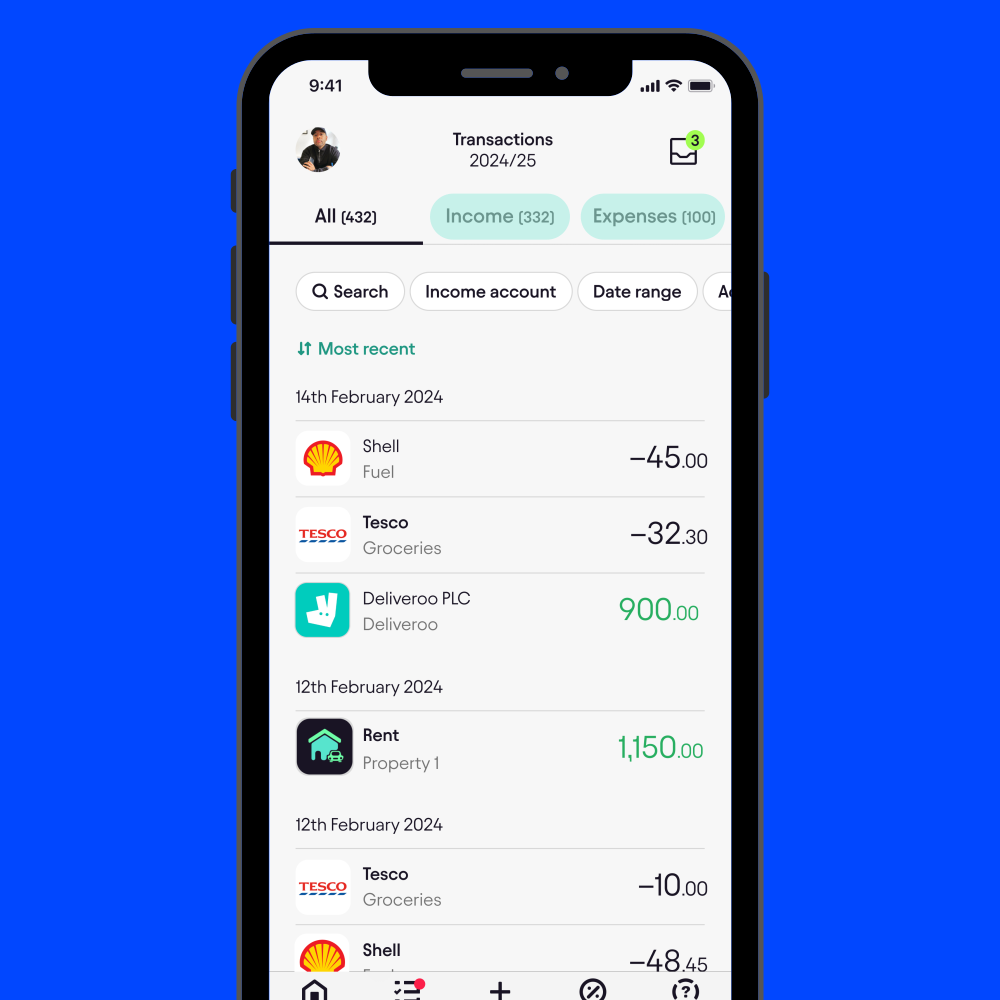
Once you're in the Bookkeeping section, select either the Income or Expenses tab, depending on the type of Income or Expenses entry you wish to delete.

icon

Deleting Income Entries

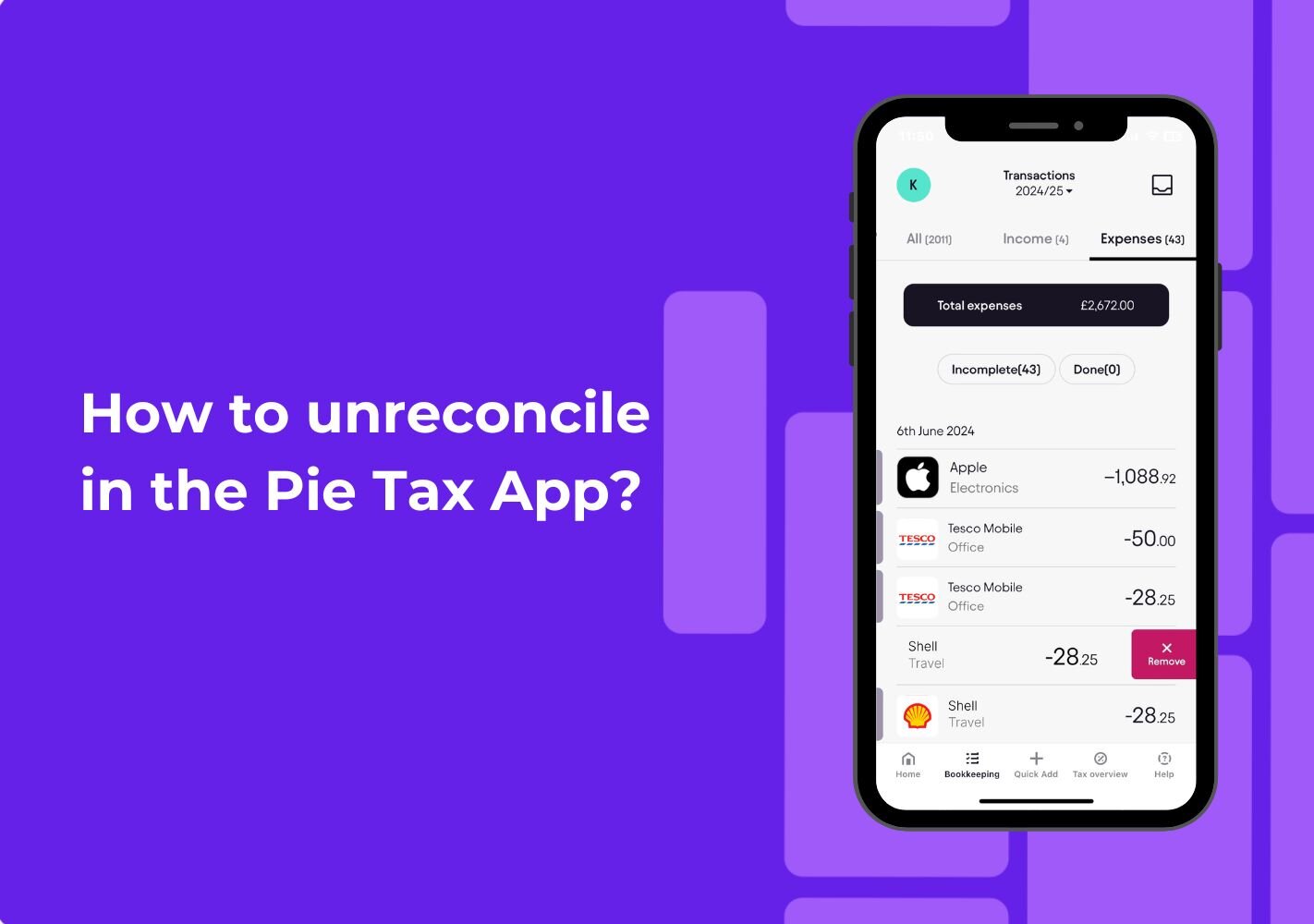
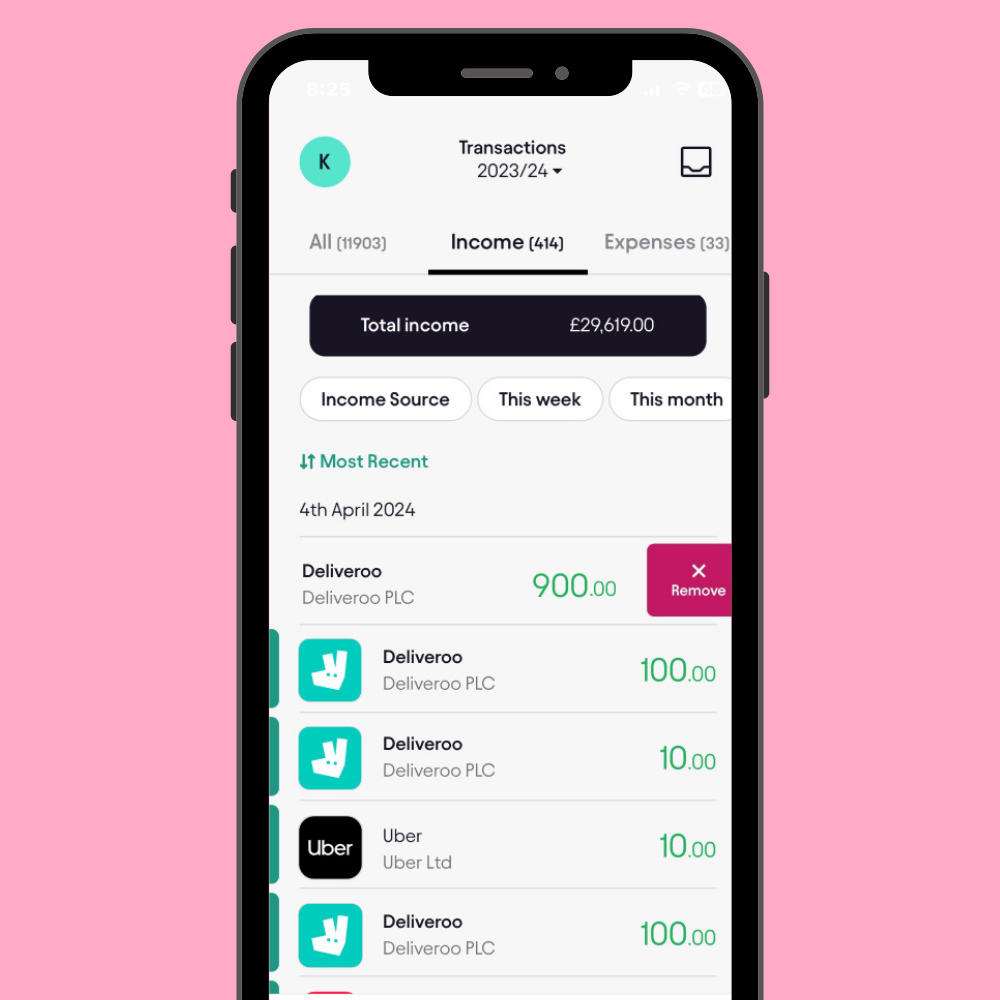
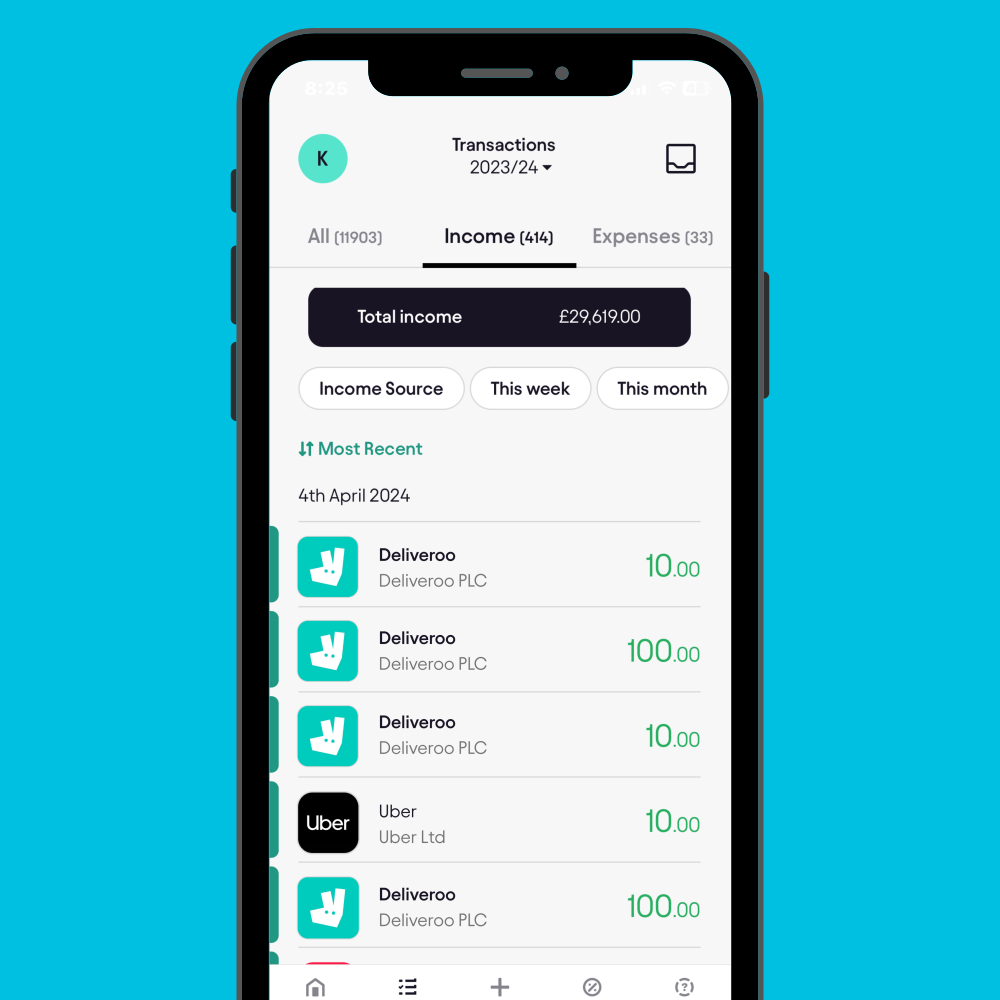
If you're removing an income entry, tap on the Income tab. Scroll through the list to locate the entry you’ve added. Once found, swipe left on the entry to reveal a red button marked ‘Remove’. Tap it and confirm by selecting Yes when the pop-up notification appears.

icon

Review and Confirm

Once you’ve deleted the entry, take a moment to review your records to ensure everything is accurate. This will help you stay compliant and maintain a clean, up-to-date record for your self-assessment.

Troubleshooting Common Issues

Sometimes, issues can arise during the process. Here are some common problems and solutions:

<h5>Can't Find the Entry?</h5><p><br></p><p>Ensure you're in the correct Income or Expenses tab, and double-check the date of the entry to locate it.</p>

Can't Find the Entry?


Ensure you're in the correct Income or Expenses tab, and double-check the date of the entry to locate it.

<h5>Delete Button Not Appearing?</h5><p>Fully swipe left on the entry until the red Remove button appears. Restart the app if needed and try again.</p>

Delete Button Not Appearing?

Fully swipe left on the entry until the red Remove button appears. Restart the app if needed and try again.

<h5>Entry Not Deleting?</h5><p>If the entry doesn't delete after confirmation, refresh the app and verify that the entry has been removed from your records.</p>

Entry Not Deleting?

If the entry doesn't delete after confirmation, refresh the app and verify that the entry has been removed from your records.

Frequently Asked Questions

Can I undelete a transaction once it’s been removed?

At the moment, deleted entries can’t be restored. Double-check before confirming to make sure you’re removing the correct one.

Does deleting a transaction affect my tax projection?

Yes, your tax projection updates automatically based on your income and expenses. Removing an entry means your projection will adjust accordingly.

Can I delete both income and expense entries?

Yes, you can delete both income and expense entries, including mileage, by following the same steps in their respective tabs.


Why won’t the entry delete after I confirm?

If the entry doesn’t delete, try refreshing the app and verify that the entry has been removed from your records.

Do I need to delete incorrect entries before submitting my self-assessment?

It’s strongly recommended. Accurate bookkeeping leads to a correct tax return, helps you stay compliant, and avoids any unwanted surprises later.

Want to get smarter about taxes?

The Tax Pible has tax tips, guides, video tutorials, and expert insights.


Stay up to date with the latest tax news and watch the UKs first tax podcast - the Piecast

Want to get smarter about taxes?

File your Self Assessment - For FREE

Manage your self-assessment in one, easy to use App

  • Save money, time and effort with Pie

  • Add multiple incomes and view your tax in ‘Real Time’

  • File directly to HMRC - for FREE

File your self assessment - for Free

The Free Self Assessment App.

logologo
Want regular updates from us?

Want regular updates from us?

Sign up for regular tax tips and news sent straight to your inbox.

Whatsapp Pie Tax