Step-by-step Guide For Landlords and Property Owners
If you’ve got a buy-to-let or rental property, your mortgage interest is one of the biggest allowable expenses you can claim. Adding it to the Pie App keeps your tax position up-to-date in real time so you can see exactly what your bill looks like and stay in control of your finances.
Here’s how to add it in just a few taps.
Your Step-by-Step Guide
Adding mortgage interest is quick and easy. Follow these steps:
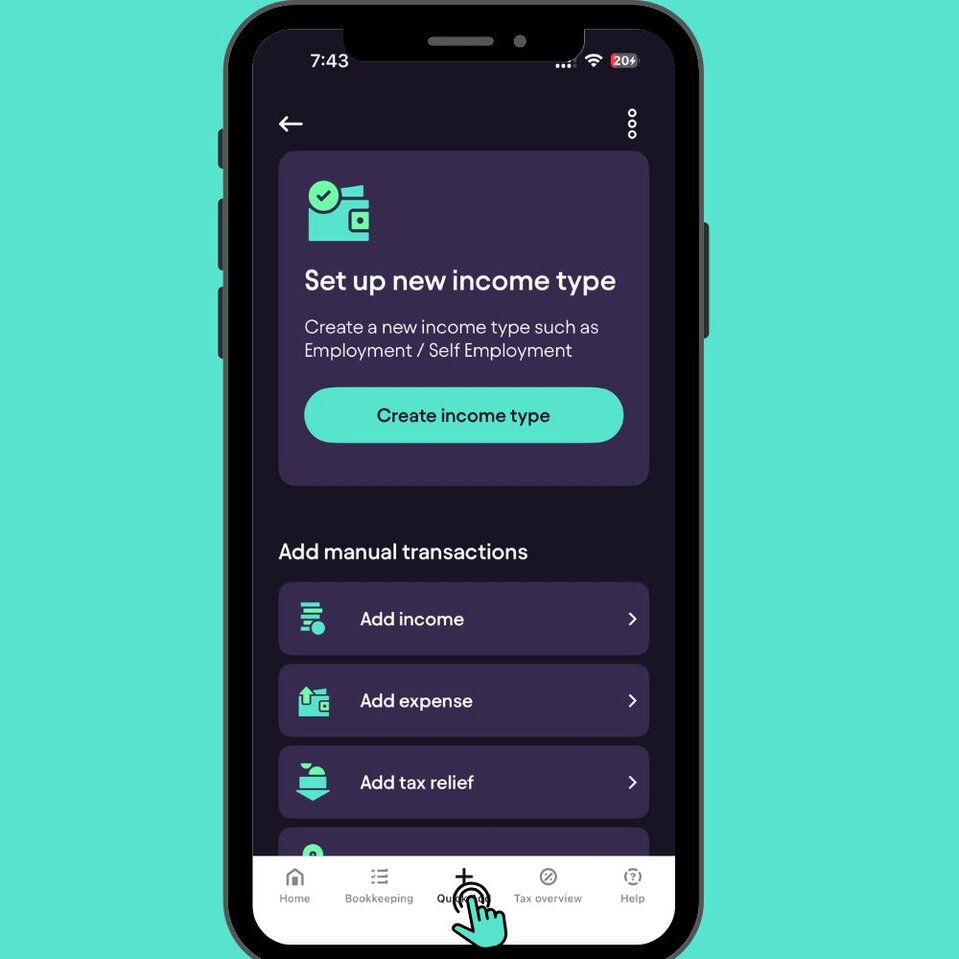
Head straight to your dashboard everything starts from there. At the bottom of your screen, hit the + icon and select Quick Add.Open the Pie App
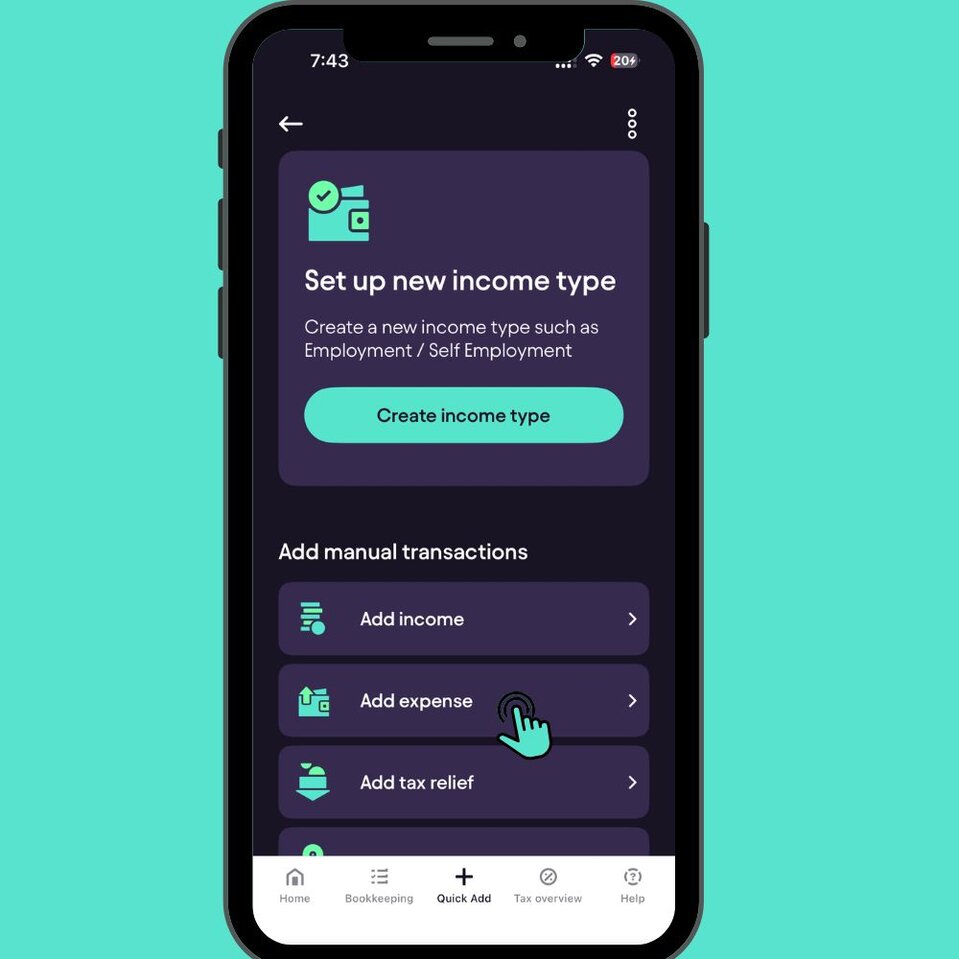
This opens the expense form where you can record anything related to your property.Select Add Expense
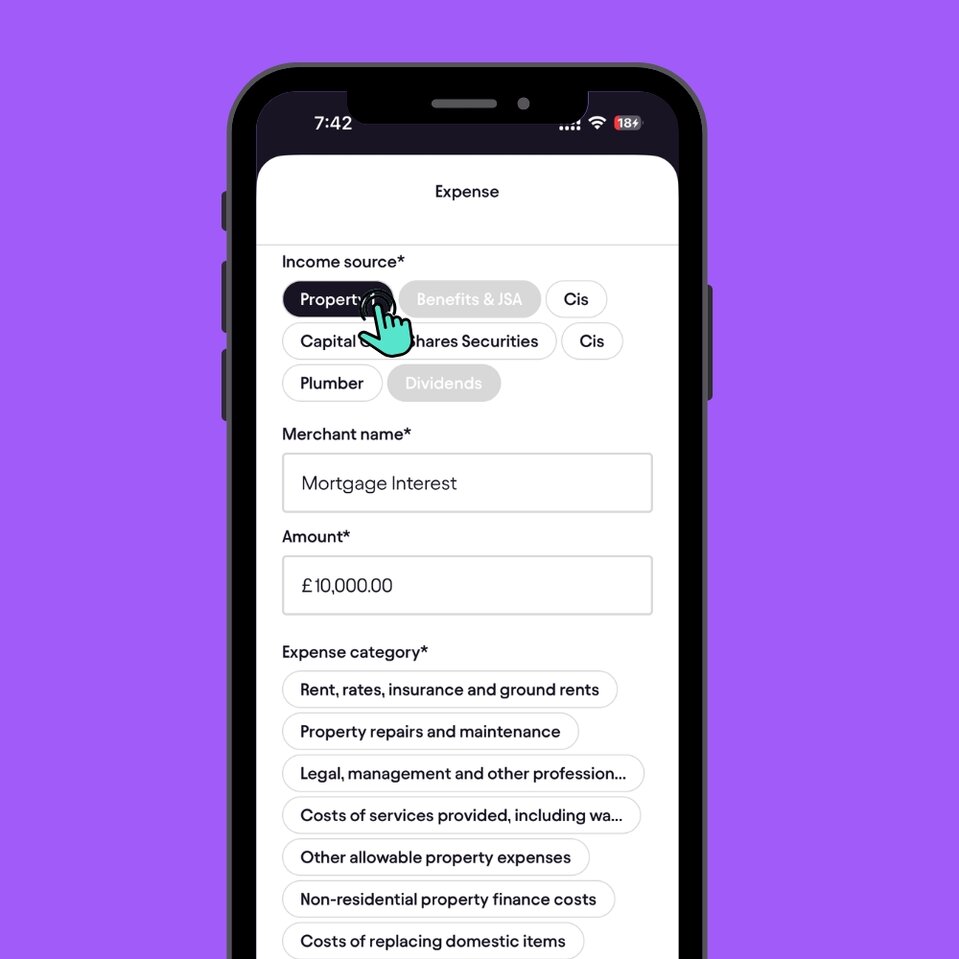
Select the property this expense relates to for example, Property 1.Choose your Income source (Property)
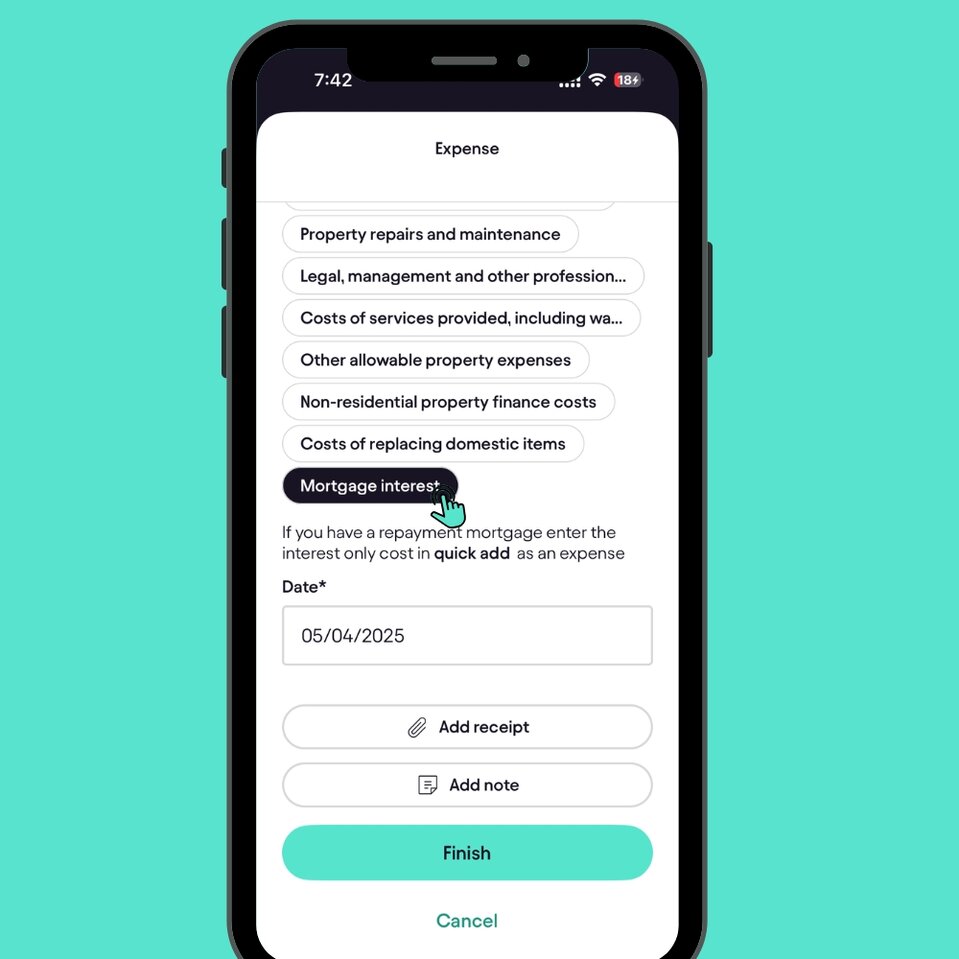
Scroll down and select Mortgage interest from the property expense categories. Your mortgage interest is now saved and automatically reflected in your tax calculations. That’s it you’re done in seconds.Choose the Expense category
Why adding it matters
Adding your mortgage interest matters because it’s often one of your biggest costs as a landlord. Recording it properly helps Pie update your real-time tax projections, keep your bookkeeping accurate, and make sure nothing gets missed when it’s time to file. Simple steps now mean fewer surprises later.
Summary
Adding your mortgage interest in the Pie App only takes a moment, and it means your tax overview stays accurate, up to date and stress-free. Just head to Quick Add, record the expense under your chosen property,
Select Mortgage interest, and save. If you ever need to update or review it later, everything is stored neatly in one place keeping you in control and helping Pie do the heavy lifting when it comes to your tax.