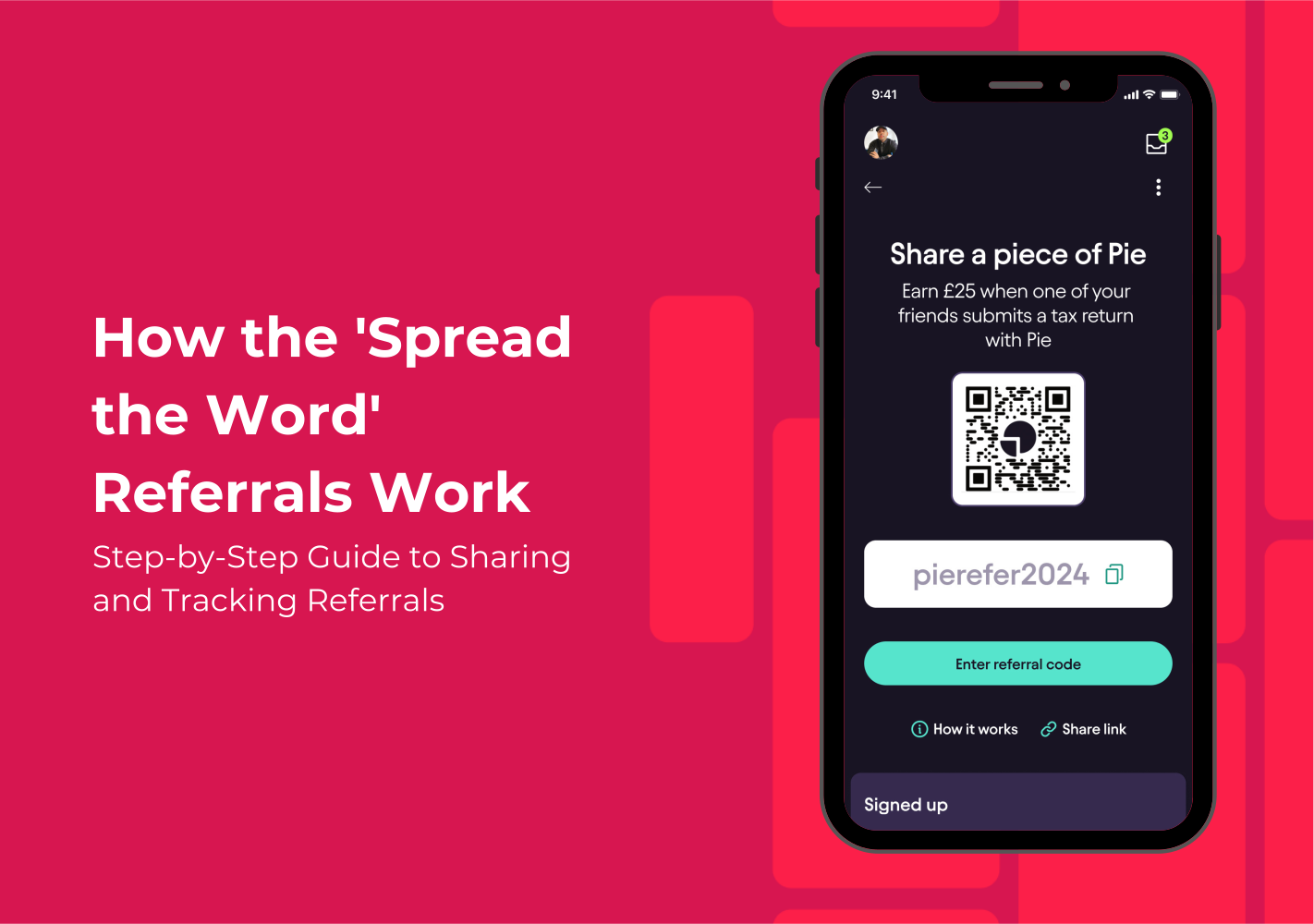
Managing Referrals and Earning Rewards
Earning extra cash while helping your friends with their taxes has never been easier with the Pie Tax App’s ‘Spread the Word’ referral programme. For every friend who signs up using your referral link or QR code and successfully submits their tax return, you’ll earn a reward. Managing referrals is simple, and this guide will show you how to share your unique link, track your referrals, and monitor your rewards. Whether it’s through email or a quick QR scan, Pie Tax makes it effortless to grow your referral list and see those rewards roll in.
Your Step-by-step Guide
For each friend who successfully submits their tax return through the app using your referral link or QR code, you’ll receive a £25 reward. Here’s a step-by-step guide on how to share your referral code, add friends, and track your rewards.
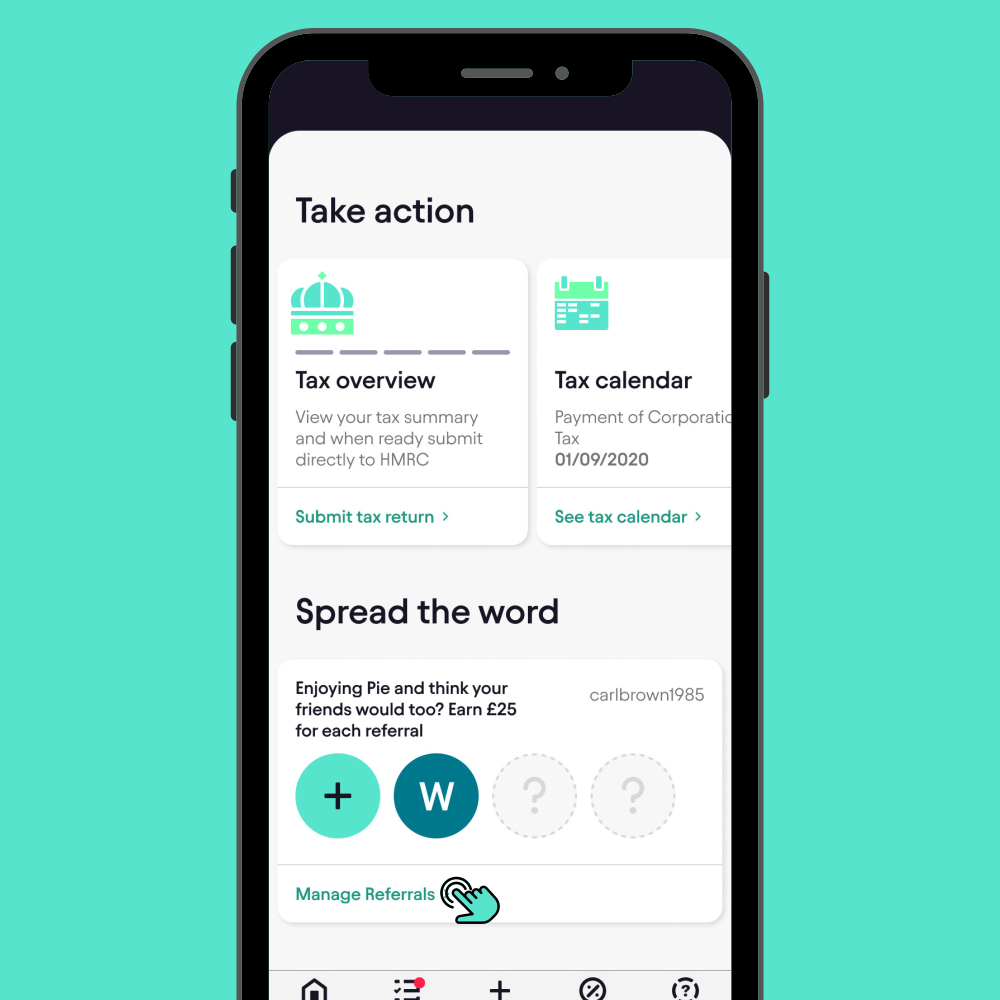
Open the Pie Tax App and head to the Home screen. Scroll down to the bottom until you see the Spread the Word section. Tap on 'Manage Referrals' to get started.Navigate to 'Spread the Word'
How to Claim Your Tax Refund
Claiming a tax refund is generally quite straightforward but requires some attention to detail. Here are the steps to follow:
Gather Necessary


Approach How to set up

After submitting your claim, HMRC will review it. Typically, this process can take a few weeks, although the timeline may vary based on the complexity of your case. You’ll receive either a refund via your chosen payment method or further communication from HMRC if they require additional information.Await Processing

You can share your referral in two ways: QR Code: Share your unique QR code with a friend for them to scan. Link: Tap the Copy Link icon to copy your referral link to the clipboard. You can then share this link via text, email, or any preferred messaging platform.Share Your Referral Link or QR Code

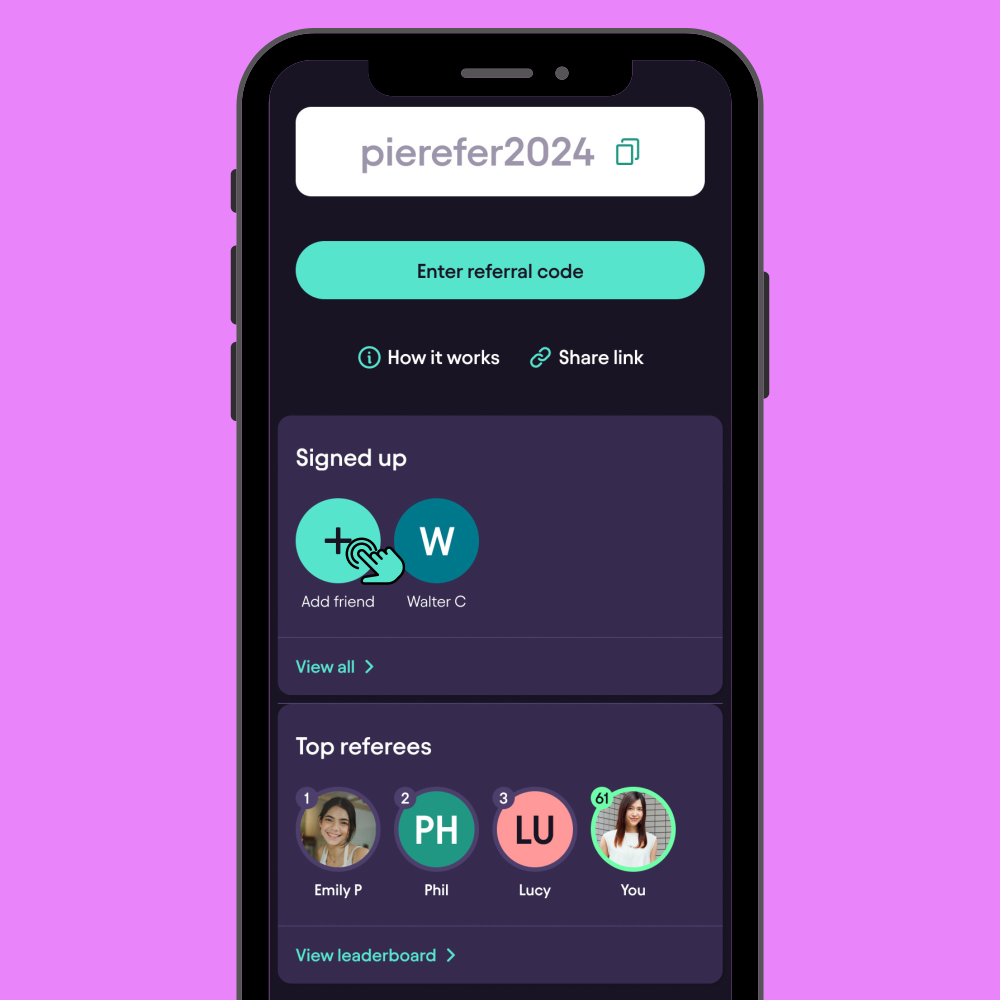
Scroll down and tap Add Friend. A pop-up will appear, asking you to enter your friend’s email address or referral code. You can also scan their QR code. Once entered, tap Submit to send the referral request.Add a Referral
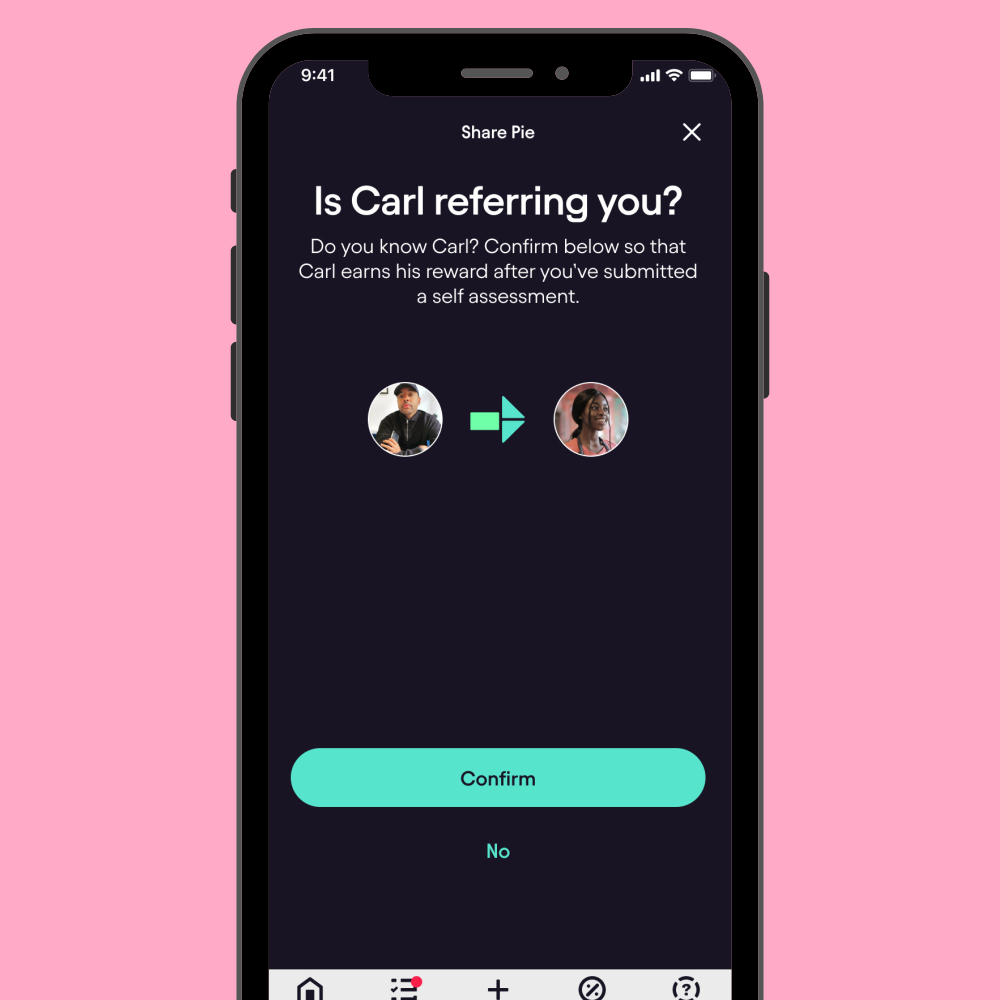
Your friend will receive a notification in the app that they’ve been referred by you. They will need to confirm by tapping Yes to be added to your referral list.Friend Confirms the Referral
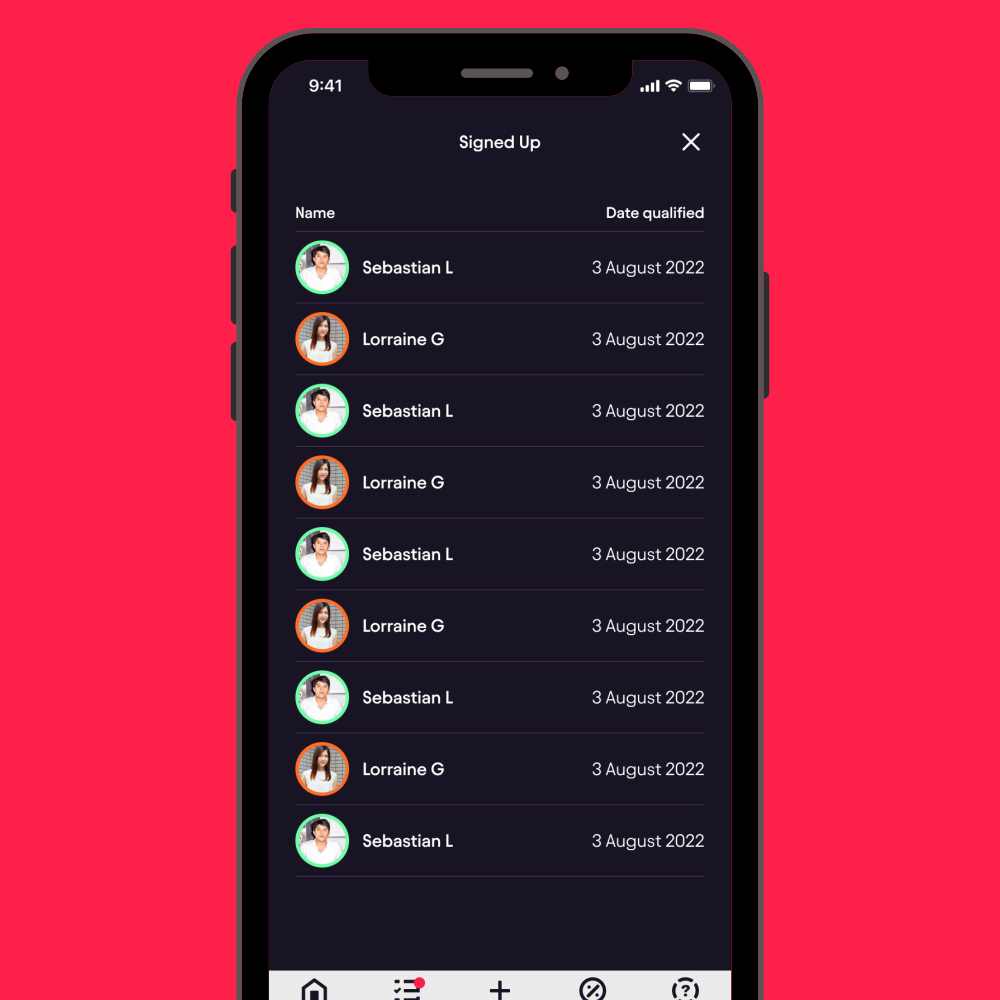
To check who has signed up using your referral, tap View All on the Signed Up page. You’ll see a list of your referrals, including their names and the date they qualified for the bonus.View Your Referrals
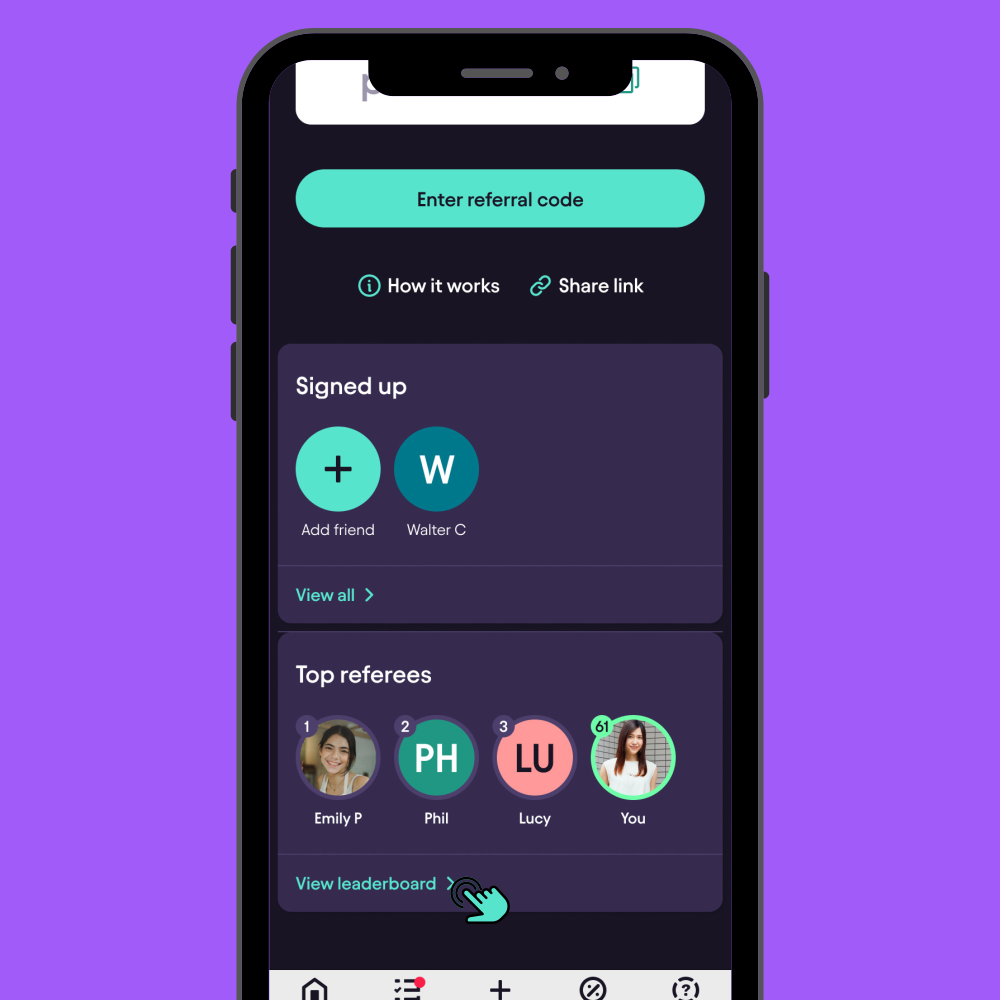
On the Spread the Word page, you can also see a leaderboard displaying the top referees. You can check your own ranking to see how you compare to others.Track Top Referees
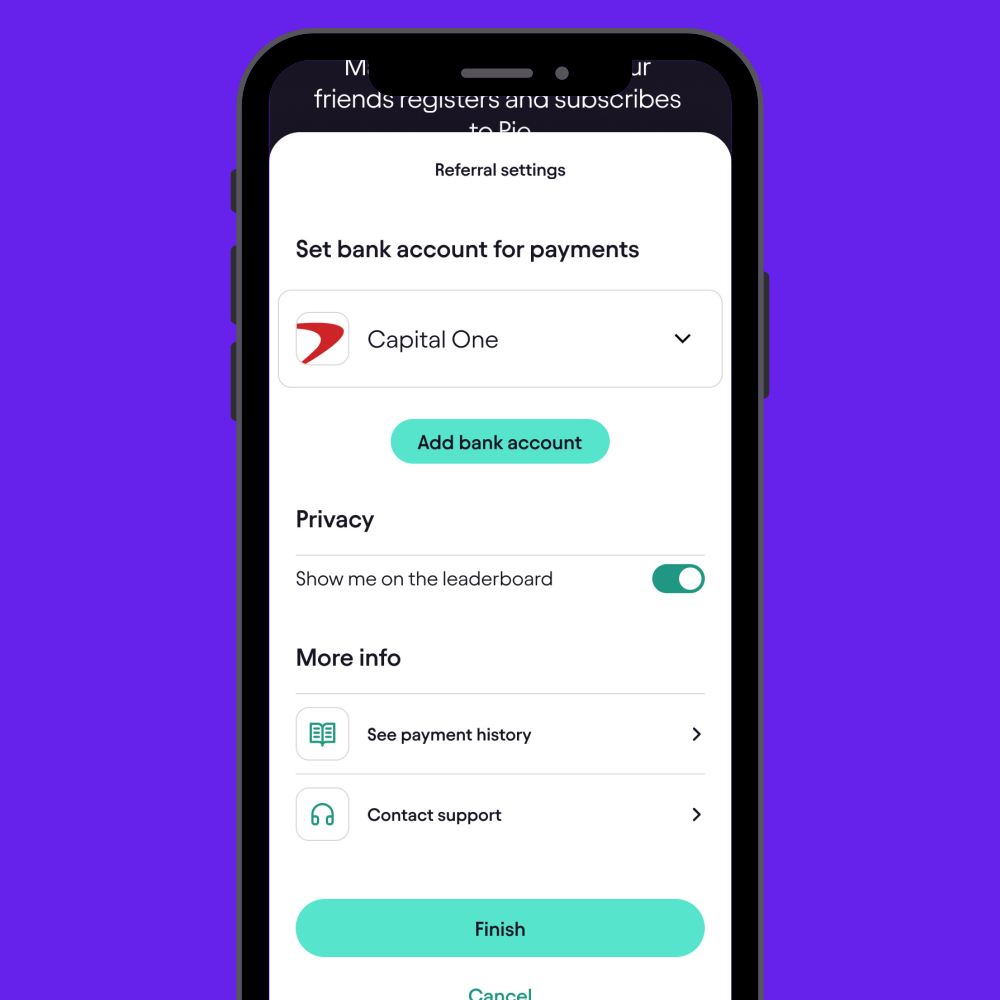
Under Referral Settings, you’ll be able to: Select a bank account for receiving your referral payments. Adjust Privacy Settings to choose whether or not you want to appear on the leaderboard. View Payment History, including paid, awaiting payment, and total payments. Contact Support for any referral-related queries.Manage Referral Settings
Key Tips
Get £25 for every friend who submits their tax return via your referral link or QR code.Earn £25 for Each Referral
Easily manage, view, and track your referral list and monitor status of rewards in the app.Track Referrals
Share your referral link or QR code quickly via email, text, or social media.Simple Sharing Options
Frequently Asked Questions
How do I earn a referral reward in the Pie Tax App?
You earn £25 for every friend who signs up using your referral link or QR code and successfully submits their tax return.
How can I share my referral link?
You can share your referral link by copying it from the app or sharing your unique QR code with your friends.
How do I track my referrals?
You can view and track your referral list, including names and dates, by tapping ‘View All’ on the Signed Up page in the app.
When will I receive my referral payment?
Once your friend successfully submits their tax return, your referral reward will be processed, and you can track the status in the Payment History section.
Can I choose how to receive my referral payments?
Yes, you can select the bank account for referral payments under the Referral Settings in the app.