How to Add Your P11D (Company Benefits) In The Pie App

How to Add Your P11D (Company Benefits) In The Pie App
Charlotte Baroukh

Charlotte Baroukh

Tax Expert @ Pie

3 min read

Updated: 1 Dec 2025

3 min read

Updated: 1 Dec 2025

Keeping your employment details accurate made easy

If you receive company benefits from your employer (like healthcare, a company car, meals, or allowances), they’re usually reported on a P11D. Adding this information in the Pie App helps keep your tax summary accurate and ensures your return is checked correctly.


The good news? It only takes a few taps.

What is a P11D?

Your employer gives HMRC details of any taxable benefits you received during the tax year. These benefits can affect your tax calculation, so Pie asks about them to make sure everything adds up correctly.

How to Add Your P11D in the Pie App

Follow these Simple steps to do this

icon

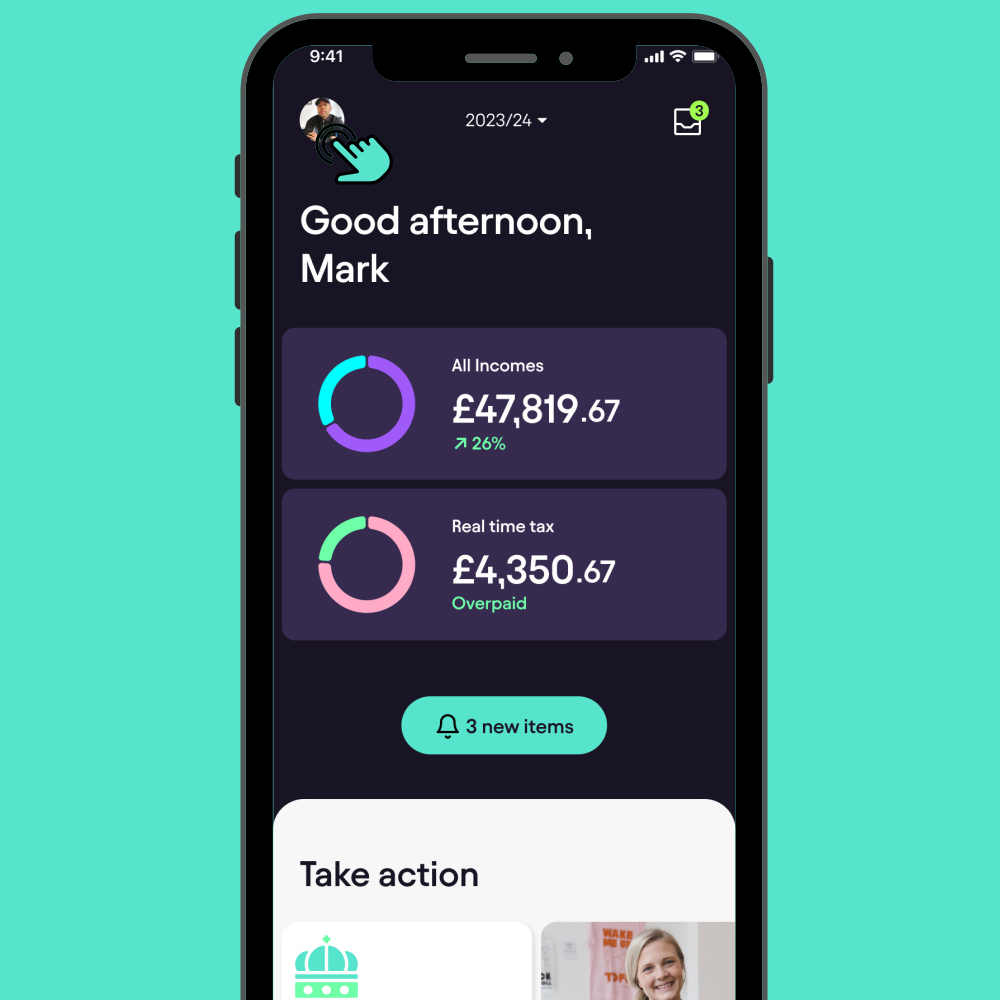
Open the App and Access Your Profile

Launch the Pie Tax App on your device. Once the app is open, tap the avatar icon located in the top left corner of the screen to access your profile.

icon

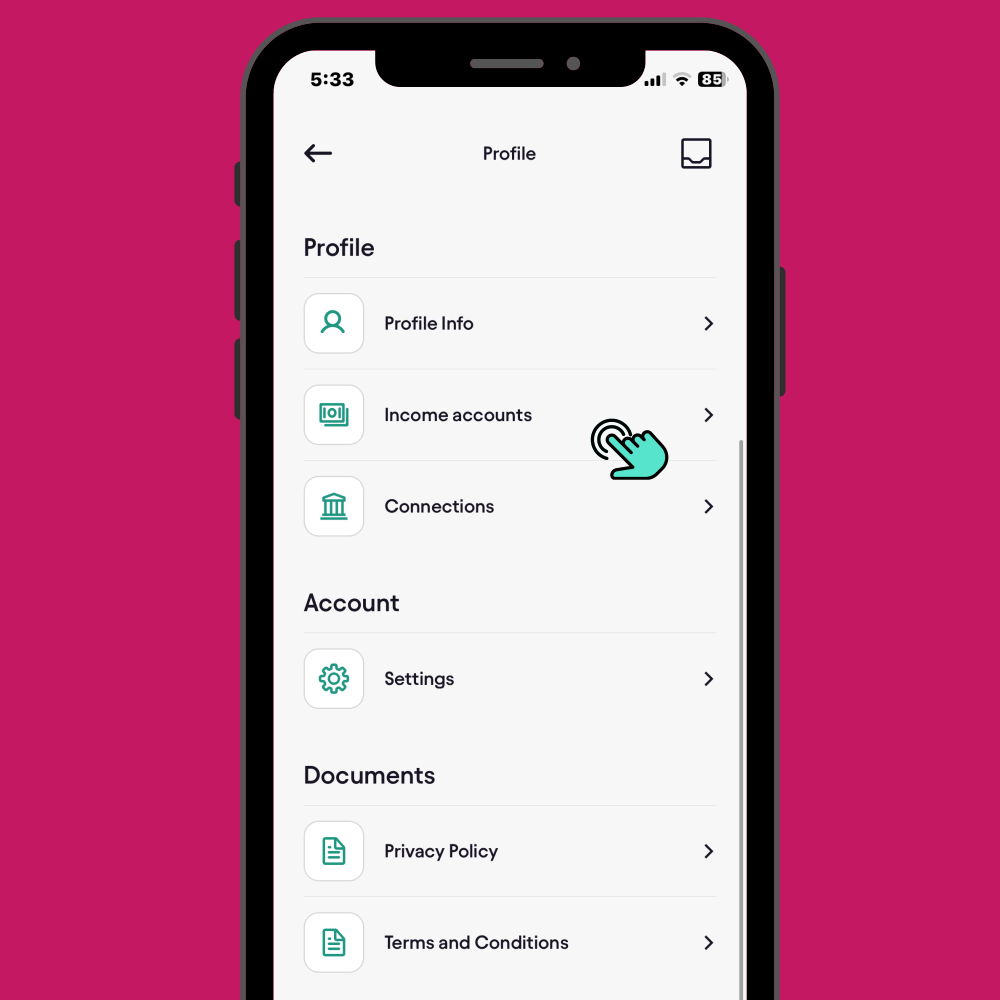
Navigate to ‘Income Accounts’

Scroll down to the ‘Income Accounts’ section within your profile. Tap on this option to view and manage your income entries.

icon

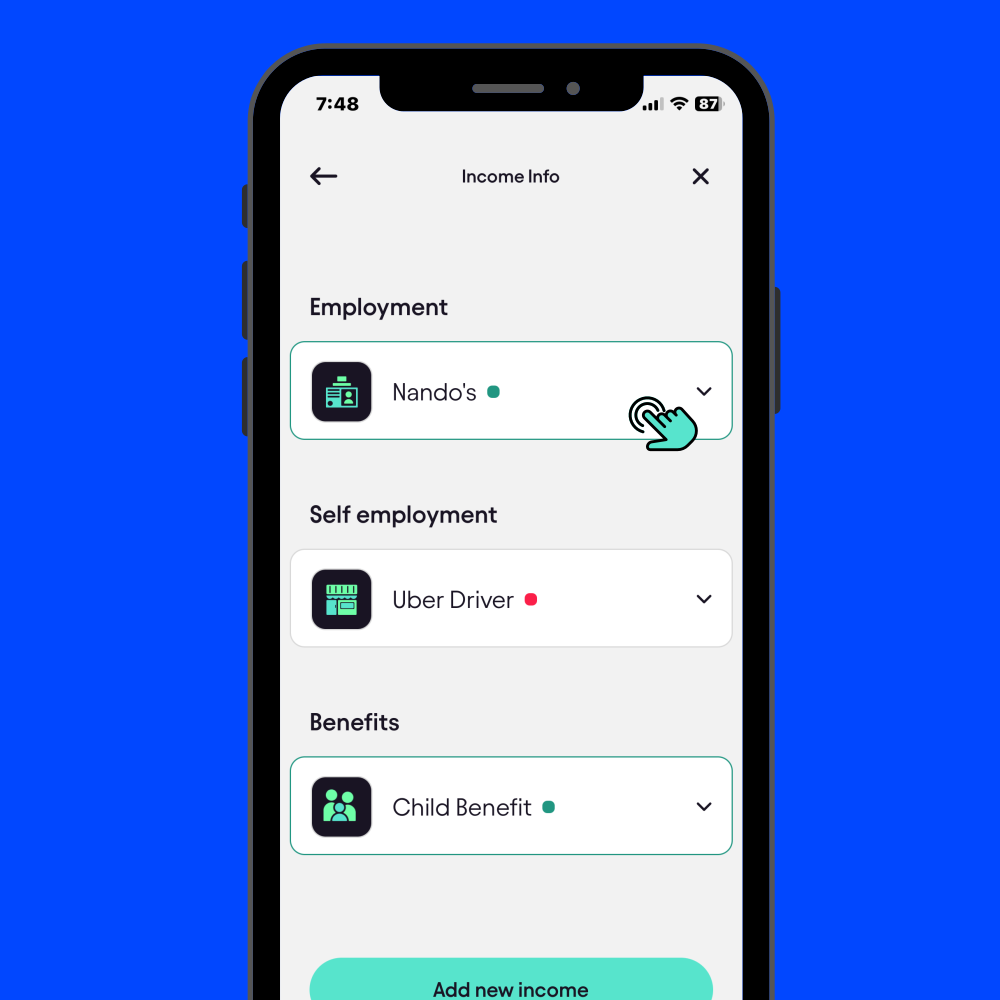
Select your Employment Income

Under “Income accounts”, choose the employer you need to update for example, Nando’s.


icon

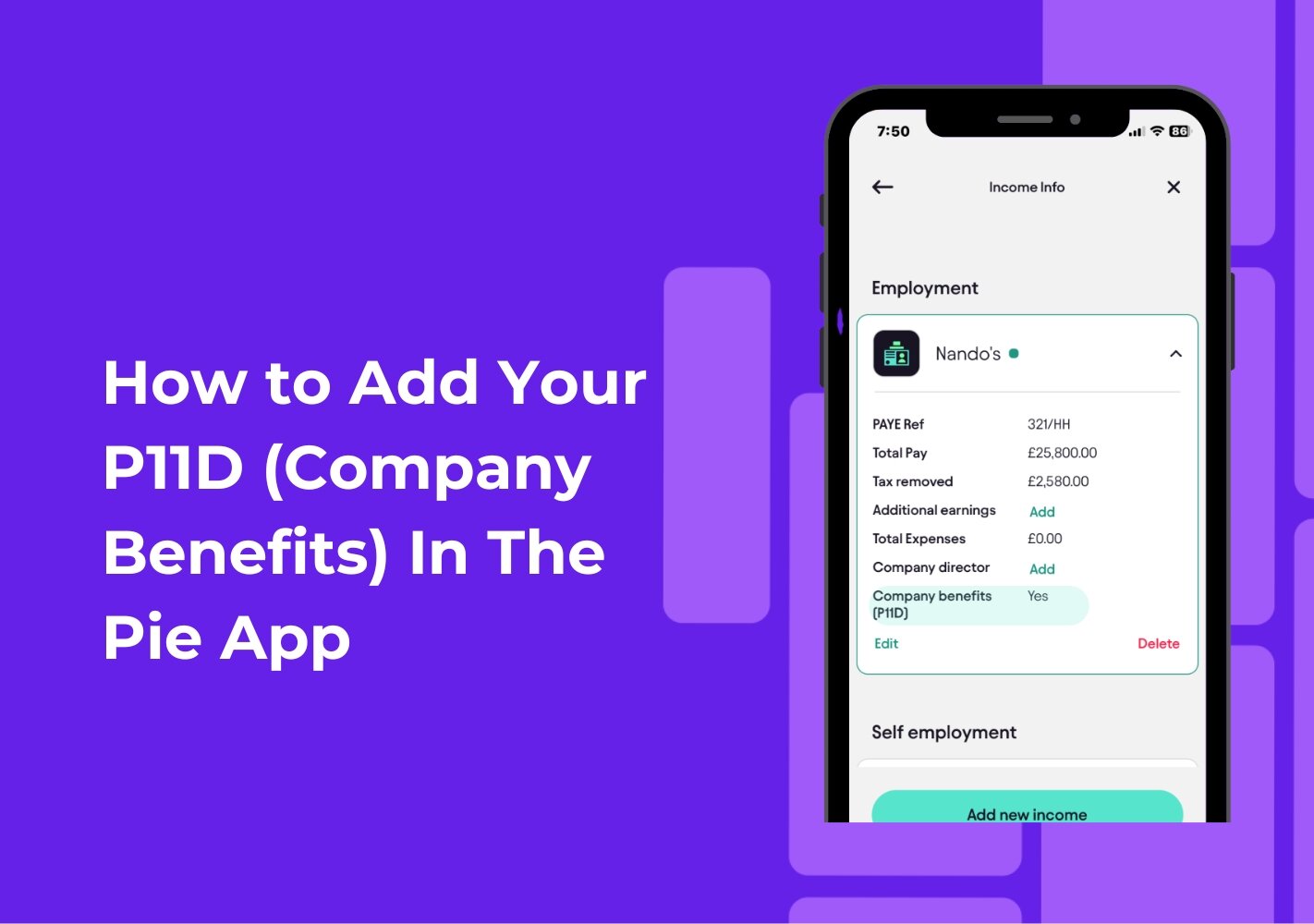
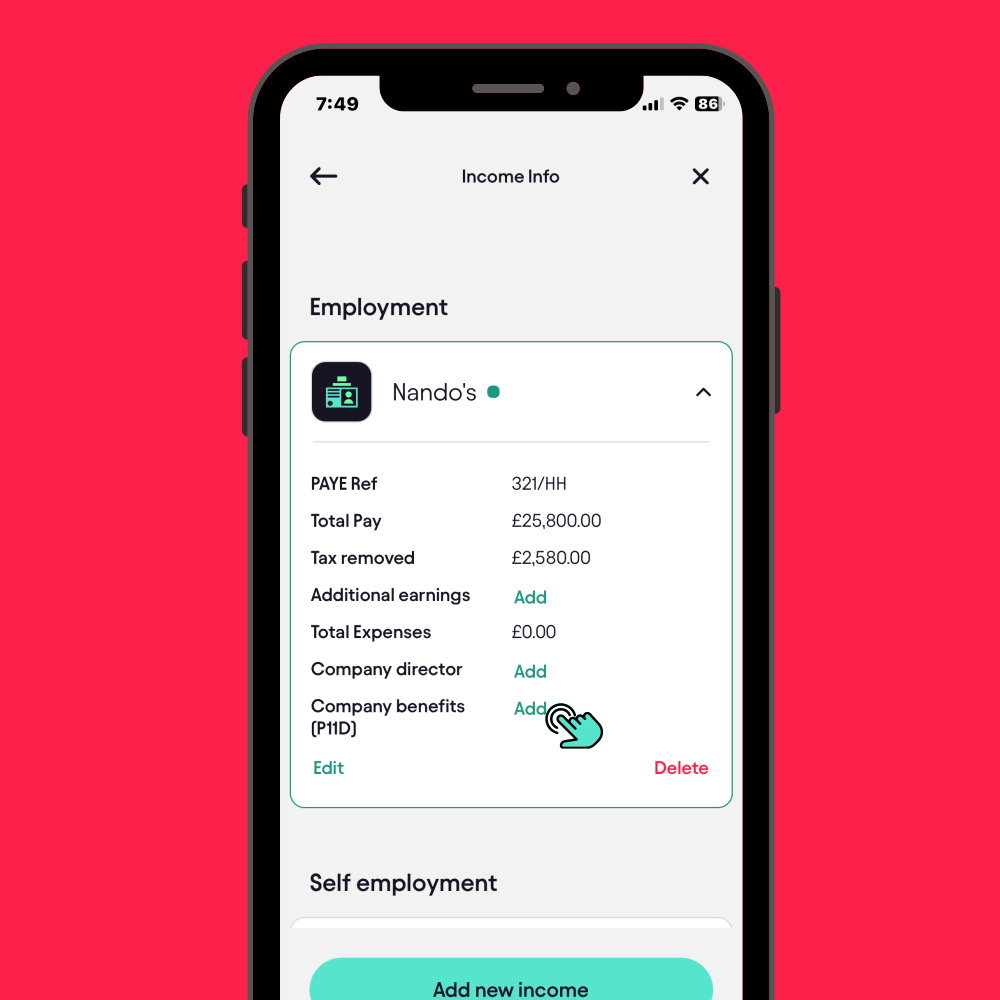
Tap “Company Benefits (P11D)”

You’ll see a summary of the details Pie already has:

  • Total Pay
  • Tax removed
  • Additional earnings
  • Expenses
  • Company benefits (P11D)

The app will ask if you are contributing towards a student loan. Tap ‘Yes’ to proceed.


icon

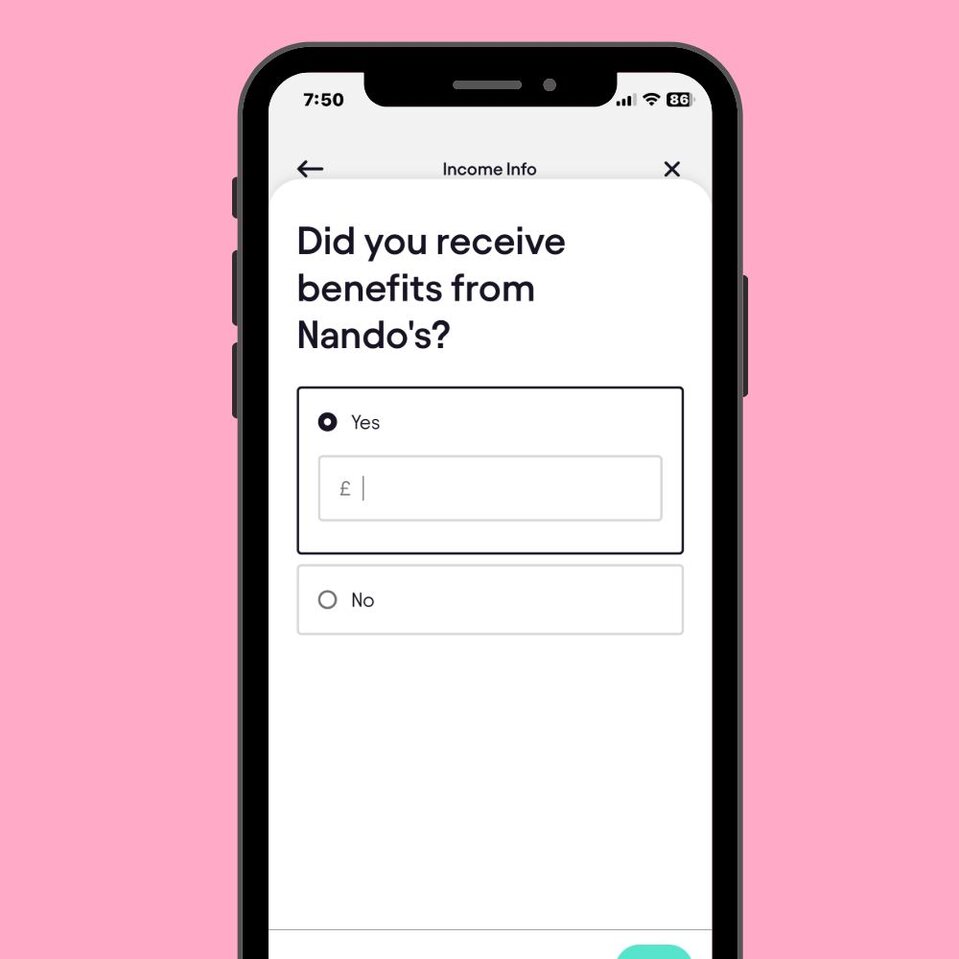
Enter the amount

If you have a P11D form, add the total value shown on it. If you don’t have your P11D yet, you can ask your employer’s HR or payroll team they’re required to provide it.

icon

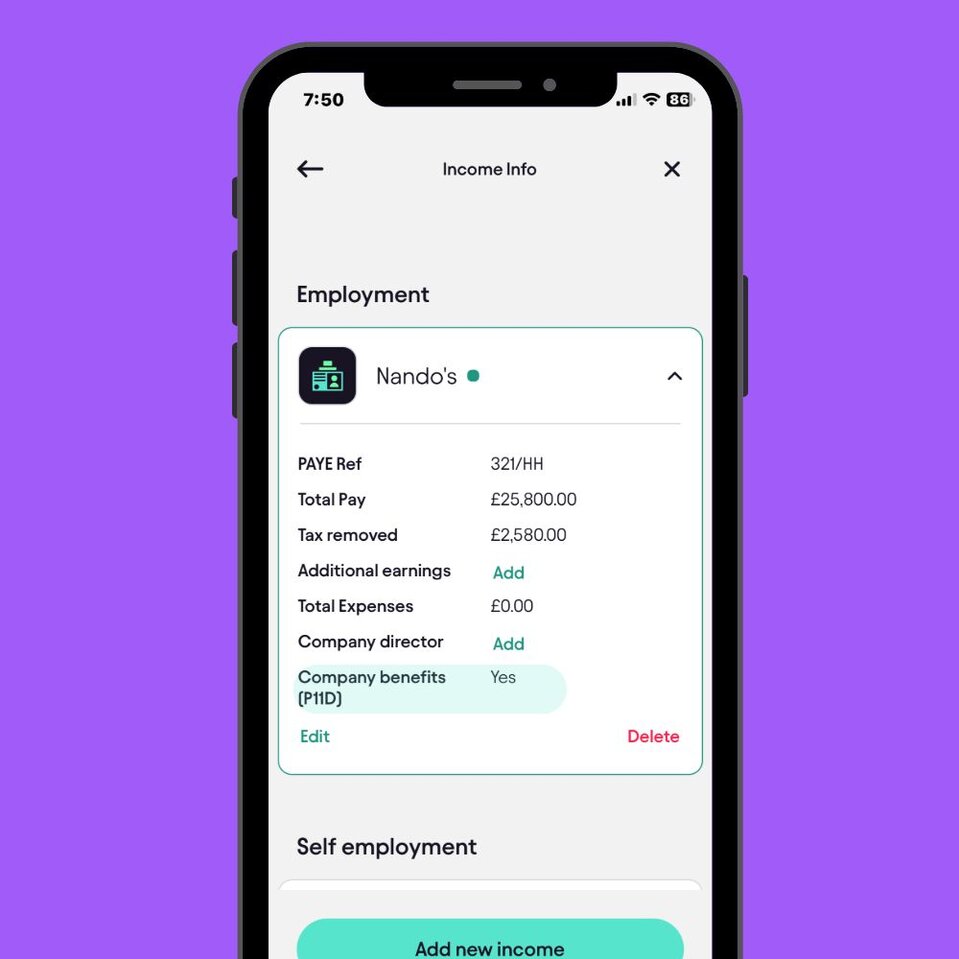
Save, and you’re done

Pie will automatically update your tax projection and factor this into your return. No spreadsheets, no stress.

Why adding your P11D matters

It helps Pie make sure:

  • your tax calculation is accurate
  • your PAYE and benefit information matches HMRC records
  • your return is checked quickly with fewer delays

It’s all part of keeping you in control of your money with clarity, not confusion.

How to Add Your P11D in the Pie App

Adding your P11D (company benefits) in the Pie App helps keep your tax details accurate. You can update it in just a few steps:

  1. Open the Pie App and go to Profile → Income accounts.
  2. Select your employer from the list.
  3. Tap Company benefits (P11D).
  4. Choose Yes and enter the total amount from your P11D form.
  5. Tap Save Pie updates your tax projection automatically.

It’s quick, simple, and ensures your tax return is checked without delays.

Want to get smarter about taxes?

The Tax Pible has tax tips, guides, video tutorials, and expert insights.


Stay up to date with the latest tax news and watch the UKs first tax podcast - the Piecast

Want to get smarter about taxes?

File your Self Assessment - For FREE

Manage your self-assessment in one, easy to use App

  • Save money, time and effort with Pie

  • Add multiple incomes and view your tax in ‘Real Time’

  • File directly to HMRC - for FREE

File your self assessment - for Free

The Free Self Assessment App.

logologo
Want regular updates from us?

Want regular updates from us?

Sign up for regular tax tips and news sent straight to your inbox.

Whatsapp Pie Tax